 Design
Hamax Downloader 1.0.3 Launch: New Video Engine, White Theme, and Faster Large File Downloads
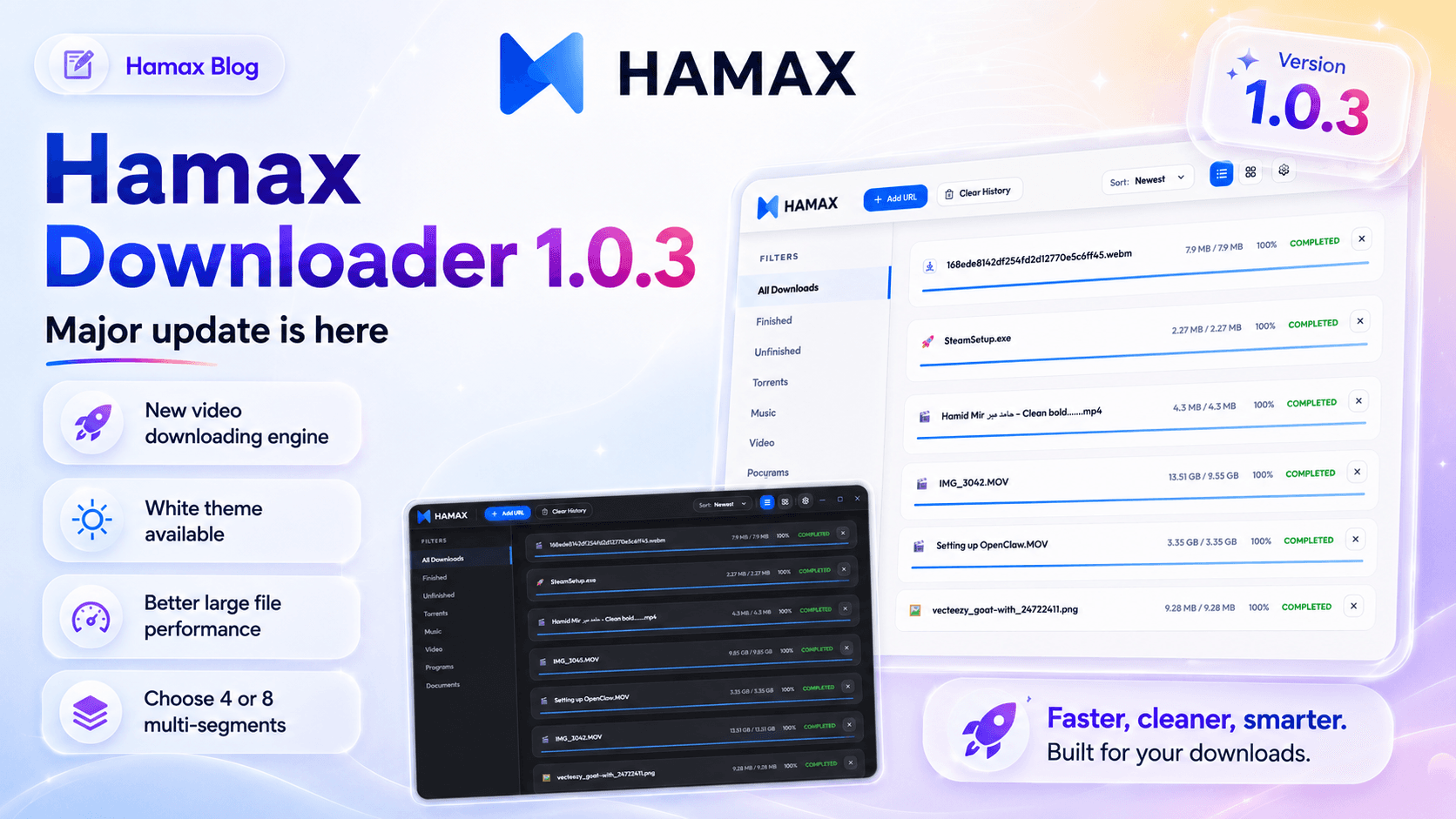
Hamax Downloader 1.0.3 is now live with a newer video downloading engine, White theme, large file performance fixes, and selectable 4 or 8 multi-segment downloads.
Published 5/28/2026
Hamax Downloader version 1.0.3 is a major update focused on better video downloading, improved reliability, cleaner customization, and stronger performance for large files. This release introduces a newer engine for video downloading, fixes key errors, adds a White theme, improves large file downloading performance, and gives users manual control over multi-segment downloads such as 4 or 8 segments.
Hamax Downloader 1.0.3 Launch: What’s New in This Major Update
Today I launched version 1.0.3 and here are key things:
Major Update like newer engine for video Downloading and fixed errors.
- White theme available
- Performance fixes for large file downloading
- User can select multisegments number like 4 or 8 to download
Hamax Downloader 1.0.3 continues the mission of becoming the premier free IDM alternative for modern desktop users. It combines high-speed multi-threaded downloads, built-in Torrent and Magnet support, automatic media detection, browser integration, and reliable Pause and Resume handling inside one clean dashboard.
📌 Key Takeaways
- Newer Video Downloading Engine: Hamax 1.0.3 includes a newer engine for video Downloading and fixed errors.
- White Theme Available: Users can now switch to a cleaner White theme for a brighter desktop experience.
- Better Large File Performance: Performance fixes for large file downloading improve stability and quality of life.
- Manual Multi-Segment Control: User can select multisegments number like 4 or 8 to download.
- Free IDM Alternative: Hamax remains completely free with no hidden subscriptions.
Why Hamax Downloader 1.0.3 Matters
A download manager should not only make downloads faster. It should make the entire download experience smoother, more reliable, and easier to control.
That is where Hamax Downloader 1.0.3 improves the daily workflow. The update focuses on the areas users notice most: video downloading, large file stability, visual comfort, and download speed control.
Instead of depending on slow single-stream browser downloads, Hamax uses multi-threaded dynamic segmentation. This means a file can be split into multiple parts and downloaded more efficiently, helping users get up to 5x faster speeds compared to default browsers.
Browser Downloading vs Hamax Downloader
What’s New in Hamax Downloader 1.0.3
Newer Engine for Video Downloading
The biggest improvement in version 1.0.3 is the newer engine for video Downloading and fixed errors.
This is important because video downloading is usually more complex than downloading a normal file. Many video streams are split into chunks, protected by temporary URLs, or loaded dynamically by the browser. A stronger video downloading engine helps Hamax detect and handle these downloads more reliably.
Hamax also includes a professional Media Sniffer that catches video and audio streams automatically. This makes the experience smoother for users who frequently save media content from the web.
💡 Tip/Insight: The Media Sniffer improves quality of life because users do not have to manually search through page source, network tabs, or hidden media URLs.
White Theme Available
White theme available.
This update gives users more visual flexibility. A download manager is often kept open for long sessions, especially when handling large files, media libraries, torrents, or multiple browser downloads. Having a White theme makes the interface feel cleaner and easier to use in bright workspaces.
Design is not just visual polish. It affects comfort, focus, and how quickly users can manage downloads.
Performance Fixes for Large File Downloading
Performance fixes for large file downloading.
Large files are where weak download managers usually fail. Browser downloads can slow down, disconnect, or restart from the beginning if the connection drops. Hamax focuses on reliability by offering a 100% success rate on Pause and Resume for large files.
This matters for downloads such as:
- Large software installers
- Game files
- ISO images
- Video projects
- Compressed archives
- Backup files
| Aspect | Pros | Cons |
|---|---|---|
| Speed | ✓ Lightning-fast multi-threading | ✕ Requires stable connection for best results |
| Design | ✓ White theme available | ✕ Users may need to choose preferred theme |
| Large Files | ✓ Performance fixes for large file downloading | ✕ Very large files still depend on server limits |
| Control | ✓ User can select multisegments number like 4 or 8 to download | ✕ Higher segment counts may not suit every server |
Multi-Segment Selection: 4 or 8 Segments
User can select multisegments number like 4 or 8 to download.
This is a strong power-user feature. Instead of forcing one fixed download behavior, Hamax lets users choose the number of segments. Multi-segment downloading can improve speed because different parts of the file are downloaded at the same time.
For example:
- 4 segments can be useful for balanced downloading.
- 8 segments can help maximize speed when the server and internet connection support it.
This gives users more control over performance instead of relying on browser defaults.
Multi-Segment Download Control
Why Multi-Threaded Dynamic Segmentation Is Better
Default browser downloads usually rely on a simpler download method. That is fine for small files, but it becomes frustrating when downloading large files or media content.
Hamax uses multi-threaded dynamic segmentation, which means the file can be split into smaller sections. These sections download at the same time, helping improve speed and stability.
The benefit is not only faster downloading. It also gives better control. When combined with Pause and Resume, users get a safer workflow for large downloads.
🎯 Professional Advice: Use 4 segments for balanced performance and 8 segments when downloading from strong servers that support higher parallel connections.
Built-In Torrent and Magnet Link Support
Hamax Downloader is not limited to direct file downloads. It also includes native Torrent and Magnet link support built directly into the dashboard.
This removes the need to keep a separate torrent client installed for basic torrent tasks. Users can manage direct downloads, media downloads, and P2P downloads from one interface.
For desktop utility users, that is a major quality-of-life improvement.
Browser Integration for Chrome, Edge, and Firefox
Hamax includes a seamless IDM-like browser extension for Chrome, Edge, and Firefox.
This helps users capture downloads directly from the browser while still managing them through Hamax. Instead of copying links manually, users can send downloads to Hamax in a smoother and more natural way.
This is especially useful for:
- Software downloads
- Media files
- Large archives
- Documents
- Browser-triggered downloads
Download Hamax Downloader 1.0.3
Hamax Downloader 1.0.3 is available from the official website.
Official website: hamax.app
Who Should Update to Version 1.0.3?
You should update to Hamax Downloader 1.0.3 if you:
- Download videos frequently
- Need better large file performance
- Want a clean White theme
- Prefer manual control over download segments
- Want a free IDM alternative
- Need Torrent and Magnet support inside the same dashboard
- Want reliable Pause and Resume behavior
Final Verdict
Hamax Downloader 1.0.3 is a practical and meaningful update. The newer engine for video Downloading and fixed errors improves reliability, the White theme improves user comfort, performance fixes help large file downloading, and multi-segment selection gives users better speed control.
For users searching for a free IDM alternative with modern desktop utility features, Hamax Downloader continues to be a strong choice.
❓ Frequently Asked Questions
Question 1: What is Hamax Downloader?
Hamax is a state-of-the-art Download manager designed for modern power users.
Question 2: What is new in Hamax Downloader 1.0.3?
Today I launched version 1.0.3 and here are key things:
Major Update like newer engine for video Downloading and fixed errors.
- White theme available
- Performance fixes for large file downloading
- User can select multisegments number like 4 or 8 to download
Question 3: Is Hamax Downloader free?
Yes. Hamax Downloader is completely free with no hidden subscriptions.
Question 4: Does Hamax support Torrent and Magnet links?
Yes. Hamax includes native Torrent and Magnet link support built directly into the dashboard.
Question 5: Does Hamax work with browsers?
Yes. Hamax supports a seamless IDM-like browser extension for Chrome, Edge, and Firefox.
Question 6: Why is multi-segment downloading useful?
Multi-segment downloading allows Hamax to split a file into multiple parts and download them at the same time. This can improve speed and stability compared to standard browser downloads.
Question 7: Where can I download Hamax Downloader?
You can download Hamax Downloader from the official website: hamax.app